
ISSUE:
- Opening RFMS on the server and/or workstations gives the Connection Error window stating, “PROBLEM CONNECTING TO [servername\instance]
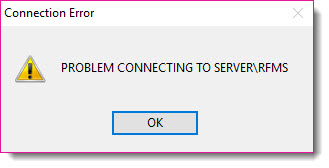
The Connection Error window indicates the program is not connecting to the SQL database.
Is this error happening on the server or workstations?
-
If this error is occurring on the server and workstations, it is typically due to a stopped SQL Server Service. Check to make sure the SQL Server service is started.
- At the server, go to Control Panel > Administrative Tools > Services
- Locate the SQL Server service and restart it
- Some clients will also need to make sure the SQL Server Browser service is started
- Try opening RFMS on the server again.
-
If this error is occurring on workstations only, this is often due to a firewall on the workstation and/or server blocking the connection, or the SQL Server Browser service is not running.
- Have your local technician try pinging the server (by name) from the workstation and verify it's seeing the correct IP address. If it is, as a test, try disabling the private and domain firewall on the server, and pc if necessary, then relaunch RFMS on the workstation. If the machines connect, turn the firewall back on and try to re-launch RFMS on the workstation. If the connection is blocked again, your technician should review the firewall to figure out what ports SQL is trying to communicate through and open those. The default ports are TCP 1433, and UDP 1433 & 1434 but there may be other ports that are unique to your environment. Your technician may be able to use netstat or another utility to assist with this.
- Another item to check is, on the server, make sure the SQL Server Browser service is started. If it is disabled, try to re-enable it and set it to automatic.
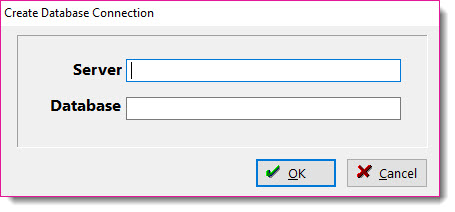
Note: If the user clicks OK in the Connection Error window then gets the following window requesting server and database information, please review this linked article:
See the following article for further information on troubleshooting workstation connections.
Comments
Article is closed for comments.